


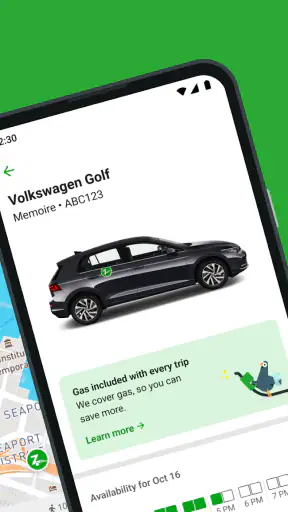
Zipcar is the kind of service I open when I need a car for a specific task rather than wanting to own one. The app sits in the Maps & Navigation category, but its real purpose is more practical: it helps me look for nearby Zipcar vehicles and arrange access by the hour or by the day. That makes it especially relevant for people who live in cities, travel without their own vehicle, or occasionally need more carrying space than public transport can offer.
After spending time with it, my impression is that the app works best when the trip is planned around a clear need. A supermarket run, a furniture pickup, a short visit outside a transit network, or a day of errands can all make sense. It is less convincing as a universal replacement for buses, trains, taxis, ride-hailing services, or a personally owned car. The important question is not simply whether I can find a vehicle, but whether the whole pickup and return process fits my abilities, timing, location, and comfort level.
The app is free to install and is developed by Zipcar. It has an Everyone content rating, so its presentation is intended for a broad audience. Its Android history goes back to Mar 22, 2011, and the current version is 10.03.01, with Android 7.0 or later required. Those details matter to anyone using an older phone, particularly if upgrading the device is difficult or if a family member relies on an older handset.
How clearly the app supports finding and planning a vehicle
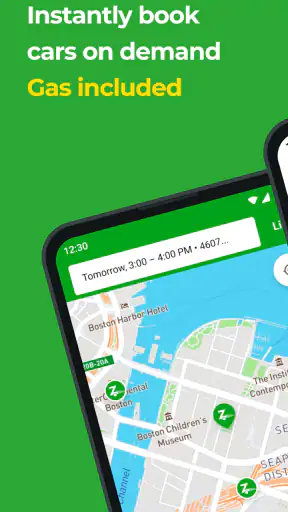
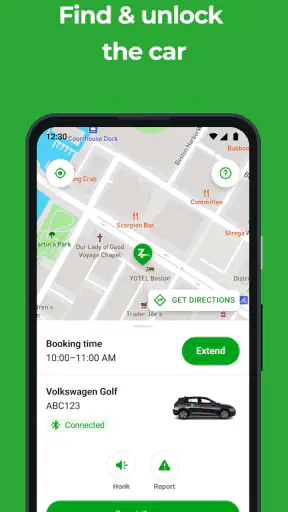
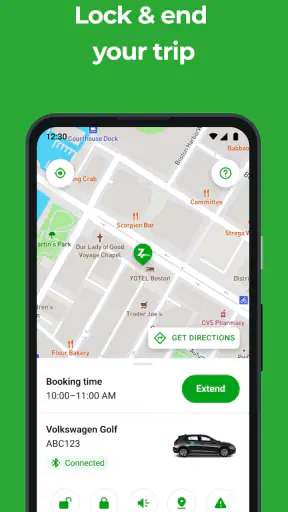
The central experience is map-based, so the first thing I pay attention to is how quickly I can understand what is around me. A map can be useful because it connects the vehicle search to real streets and landmarks, but it can also become visually busy. When several locations appear close together, I need to slow down and check which one is genuinely convenient rather than choosing the first marker that catches my eye.
I find it helpful to begin with the destination in mind instead of browsing aimlessly. If I know I need to collect something from a particular neighborhood, I can judge a vehicle location by the complete journey: walking to the car, driving to the destination, and returning the vehicle afterward. A car that looks nearby may still be awkward if it is across a large junction, inside a complex parking area, or far from the route I would naturally take.
The most useful habit is to treat the map as the beginning of the plan, not the whole plan. I check the pickup area, estimate how much walking it involves, and think about the return trip before committing. This is more important for users with limited stamina, balance concerns, visual fatigue, or difficulty changing plans quickly. A nearby marker is not automatically an accessible or low-effort option.
The navigation flow is easier to understand when I make one decision at a time. First I identify a suitable location, then I consider the booking period, and only afterward do I focus on the practical details of reaching the vehicle. That sequence reduces the chance of selecting a car simply because it appears first in the list or map view.
Readability matters before the drive begins
For me, readable design is not only about font size. It is also about whether important information stands out from secondary details. A person checking a car location while standing outdoors may be dealing with glare, noise, poor reception, or time pressure. Clear labels, predictable screens, and a layout that does not make the user repeatedly hunt for the next action can make a major difference.
I would recommend increasing the phone’s text size before relying on the app for an unfamiliar trip, then checking whether the interface still feels comfortable. Large system text can sometimes make screens feel crowded, so it is worth doing this before a booking rather than at the curb. Users who depend on spoken screen reading should also test the main search and reservation flow in advance, because map-heavy interfaces can be more demanding than ordinary lists.
The app’s purpose is relatively focused, which helps. I am not navigating a general travel platform filled with flights, hotels, restaurant offers, and unrelated recommendations. The focus stays on access to a shared car. That narrower purpose makes it easier to explain to another person who is helping with the booking, although the real-world pickup still requires careful attention.
Useful preparation for first-time users
Before using the service for an important appointment, I would practice the process with a short, non-urgent trip. This lets me learn how the map presents nearby vehicles, how much walking is involved, and whether the reservation steps feel manageable. It also gives me a chance to discover whether I am comfortable locating a shared vehicle in a busy area without the pressure of being late.
I would keep the phone charged and avoid planning the first trip around a tight connection. That is not a criticism unique to this app; it is a consequence of combining a digital reservation with a physical vehicle pickup. Still, the app encourages a different kind of preparation than a normal navigation tool. I am not merely asking for directions to a destination. I am coordinating access to a car, a time window, and a return location.
Motor, sensory, and cognitive considerations during a booking
Zipcar can be appealing to people who find car ownership physically or financially burdensome but still need occasional access to a vehicle. I can use it selectively instead of maintaining a car every day. For someone who has difficulty walking long distances, however, the distance between home, pickup point, destination, and return point becomes a central part of the decision. The app can help locate a vehicle, but it cannot remove the physical effort of getting to it or loading what I need to carry.
That trade-off is easy to overlook when looking at a map. A short distance may still involve uneven pavement, a steep approach, crowded sidewalks, or a parking area that is difficult to recognize. If I have limited mobility, I would treat the pickup location as something to inspect ahead of time, using familiar map tools or a companion’s local knowledge where appropriate. The app is useful for choosing among locations, but it should not be the only source of confidence about the physical route.
Motor demands can also appear during the reservation itself. Repeated tapping, small map controls, and quick changes between screens may be tiring for users with tremors, reduced dexterity, or pain in their hands. I prefer to make the booking while seated and unhurried, rather than standing outside with one hand occupied by a bag. If another person is assisting, the focused nature of the app makes it relatively easy to describe the task: find a suitable vehicle, check the timing, and confirm the plan.
Users with visual impairments may find the map the most challenging part. A list-style presentation, when available in the flow, is generally easier for me to reason about than relying only on marker positions. I would also use spoken directions from the phone separately if the visual map is not comfortable. The key is to separate the tasks: use the app to understand the available vehicle and reservation, then use the navigation method that best supports reaching the location.
For people with hearing loss, the booking process may be more comfortable when essential information is presented visually rather than depending on sounds or spoken prompts. For people sensitive to motion or visual clutter, I would avoid rapidly scanning a dense map and instead zoom in gradually around a known area. Users who experience cognitive overload may benefit from writing down the pickup point, planned duration, and return plan before leaving home.
One non-obvious advantage is that car sharing can support energy management. If I am planning several errands, I can group them into one outing rather than making multiple long walks or relying on several transfers. That can be valuable for someone managing fatigue. The opposite is also true: if the vehicle location requires a difficult walk, the apparent convenience may disappear. The best choice depends on the complete door-to-door effort, not just the driving portion.
A realistic everyday trip
Imagine I need to collect a bulky purchase from a neighborhood that is inconvenient by public transport. I would first search for a nearby vehicle, then compare the walking distance to the pickup point with the route to the store and the eventual return. I would leave enough time to find the car without rushing, load the item safely, and complete the return. If I have a mobility limitation, I would ask whether I can realistically manage the loading and unloading before booking, rather than assuming the car solves every part of the journey.
In that situation, the app is more useful than a standard transit planner because the vehicle itself is the missing part of the plan. A taxi or ride-hailing service might be simpler if I need door-to-door help or cannot manage a pickup location. A traditional rental service might be better if I need a vehicle for a longer, uninterrupted period or want a staffed location. Zipcar sits between those options: more self-directed than a ride, but more structured than simply owning a car.
Where the service fits, and where another option is better
I see the strongest use case in occasional urban driving. If I normally walk, cycle, or use public transport but sometimes need a car, this approach can avoid the commitment of ownership. It can also suit visitors or residents who understand their destination but do not want to arrange a conventional rental for a short task. The hourly or daily structure is naturally suited to errands and compact plans.
It is not the right choice for everyone. If I need guaranteed door-to-door assistance, a ride service may reduce physical and logistical demands. If I am traveling with someone who needs a vehicle adapted to specific mobility equipment, I would look for a service that clearly matches those requirements rather than assuming a shared vehicle will do so. If I am carrying fragile items, traveling with several people, or facing an uncertain schedule, the simplicity of a different transport option may outweigh the appeal of self-drive access.
The comparison with ordinary navigation apps is also important. A navigation app can usually help me reach a destination, but it does not solve the question of which shared vehicle to use or how to organize the booking around that vehicle. Zipcar is more specialized. On the other hand, a general map may provide richer information about walking surfaces, transit alternatives, and nearby landmarks. I use the two types of tools for different jobs rather than expecting one to replace the other.
Compared with public transport, the main advantage is control over the route and the ability to carry items. The main disadvantage is that I take responsibility for reaching the car, driving, parking, and returning it correctly. Compared with a personal vehicle, the advantage is avoiding daily ownership. The disadvantage is that availability and pickup location become part of every trip. Compared with a conventional rental, the appeal is the shorter, more local style of access, while the trade-off is a less traditional pickup experience.
Planning around uncertainty
I would be cautious about using the app for a medical appointment, an airport connection, or anything where a delay would have serious consequences unless I had a generous buffer and a backup plan. A shared vehicle reservation is only one part of the journey. Walking to the car, finding the exact location, loading belongings, and dealing with traffic can all take longer than expected.
For an important trip, I would identify a backup before leaving: a transit route, a taxi option, or someone who could help. This is especially sensible for users who cannot easily improvise if the pickup point is confusing or physically demanding. The app can support independence, but independence is strongest when it includes a realistic fallback rather than relying on perfect conditions.
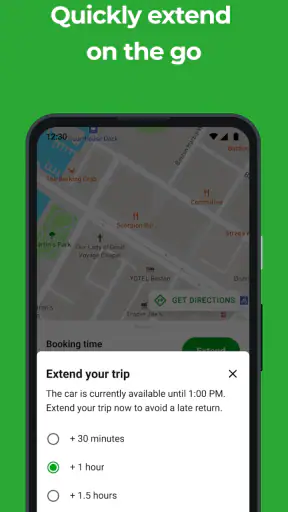
Another practical tip is to reserve the time around the task, not just the driving time I imagine. Loading, parking, and returning the vehicle all belong in the plan. Users who need more time for transfers, visual orientation, or physical recovery should build that into their schedule. A short booking can become stressful if it leaves no room for these steps.
Remaining barriers and the limits of inclusive design
The biggest barrier is the gap between digital clarity and physical reality. An app may show me a vehicle location, but I still need to reach it, identify it, enter it, operate it, and complete the return. Those stages can affect people differently. Someone with limited vision may struggle with location recognition; someone with reduced mobility may struggle with the walk or loading; someone with anxiety may find an unfamiliar pickup area difficult under time pressure.
There is also a cognitive burden in coordinating several conditions at once. I need to remember the reservation, monitor the time, follow the route, and keep track of the return plan. For a confident driver this may feel routine, but for a first-time user or someone with memory difficulties it can be a lot. I would prepare a simple written checklist: pickup location, planned destination, return location, and the latest comfortable time to begin the return.
Older devices deserve attention too. Because the current version requires Android 7.0 or later, people using very old phones may face a practical obstacle before they even reach the booking screen. The app is free, but the overall experience still depends on having a compatible smartphone, enough battery, and a reliable way to use it during the trip. Those are ordinary requirements for a mobile service, yet they can exclude users who share devices or cannot upgrade easily.
The Everyone rating makes the app broadly approachable in terms of age classification, but that should not be confused with every trip being suitable for every person. Age, disability, confidence, and travel context create different needs. A teenager, an older adult, and a person using a mobility aid may all see the same map but require very different levels of preparation and support.
I also would not treat the app as proof that a vehicle or pickup point meets a particular accessibility need unless that information is clearly presented during the actual decision. If I require a specific vehicle setup, extra space, or assistance, I would verify the practical fit before relying on the reservation. This is where a direct conversation with a companion or service representative may be more useful than making assumptions from a map marker.
Who should try it first
I would recommend trying it to people who already feel comfortable driving and want occasional access without owning a car. It is particularly promising for planned errands, local trips, and situations where carrying goods makes transit inconvenient. It can also be useful for someone who wants to reduce the amount of walking between multiple errands by grouping them into one drive.
I would suggest caution for anyone who needs hands-on help, highly predictable door-to-door transport, or a vehicle with specific adaptations. In those cases, a specialist transport service, a conventional rental arrangement, or a ride with a trusted driver may be a better fit. The app’s value comes from self-service flexibility, and that same flexibility can become a burden when the user needs certainty or physical assistance.
At the time of writing, the app has an average rating of 4.0 from around 51 thousand ratings and has passed one million installs, with roughly 15 thousand written reviews. I read those figures as evidence that it has a substantial user base, not as a guarantee that every person will find the experience smooth. A four-point average suggests a useful but imperfect service, which matches my view: the concept is practical, while the details of location, timing, and personal ability determine whether it feels convenient.
Zipcar is free to download, but the meaningful cost of using it is tied to the trip itself rather than the installation. I would therefore judge it against the total value of the journey: time saved, items carried, effort avoided, and the mental load of managing the vehicle. Someone making one short trip may find another option easier, while someone combining several errands may get much more from the same booking.
My inclusive verdict is cautiously positive. It supports independence best when the user can plan the physical pickup and return as carefully as the digital reservation. The focused map experience makes the service understandable, and car sharing can genuinely help people whose transport needs are occasional rather than daily. However, the app cannot by itself guarantee an easy route, a suitable vehicle, or a stress-free experience for every ability.
I would recommend it to a friend who wants flexible access to a car and is comfortable checking the whole journey in advance. I would not recommend making it the only plan for a high-stakes appointment or a trip involving complex mobility needs until the pickup routine has been tested. Used with that level of honesty, the app is a useful bridge between public transport and traditional car rental: not universally accessible by default, but potentially very practical when its self-service design matches the person and the situation.


